Data Movement
SeaweedFS Enterprise can continuously replicate, migrate, or back up a filer path to another SeaweedFS cluster or to a cloud object store — configured and monitored from the Admin UI, executed by data_movement plugin workers. Point it at a source path and a destination, pick a mode, and the workers keep the destination in sync: an initial snapshot seeds what’s already there, then a tail of the filer’s metadata log carries every change as it happens.
How it works
- Configured in the Admin UI. A target is a reusable named destination — another SeaweedFS cluster, or a cloud store via a
remote.configurecredential. A policy binds a source path to a target with a mode. Each is stored as its own file under/etc/seaweedfs/data_movement/, so the config is inspectable and version-controllable. - Executed by plugin workers. The admin schedules the
data_movementjob type; a worker runs each policy as bounded, resumable slices. A per-policy lease fences out stale workers, an initial snapshot seeds the existing tree, and a continuous tail of the metadata log applies every create, update, delete, and rename to the destination through a sink. A slice exits cleanly at its deadline, on config change, or on lease loss, and detection re-proposes the next one — so a dataset larger than one slice seeds fully rather than restarting each time. - Consistent and resumable. The seed cursor is committed to the filer’s KV before tailing, so a slice that dies before processing an event resumes from the same point instead of skipping changes. The checkpoint also advances on the source’s filtered-range markers, so a quiet policy in a busy cluster never re-scans the foreign backlog.
Modes
- Continuous — keep the destination in sync indefinitely: a live mirror or a standing replica.
- Migrate — like continuous, but cut-over-ready. Once the snapshot is done and lag reaches zero, a drain fence confirms the destination has received everything through a clean confirmation window (a post-fence write resets it) — lag=0 alone is not treated as done — so you can safely flip traffic to the destination.
- Backup — one-directional, with deletes off by default, so the destination retains data the source has since removed.
Targets: cluster or cloud
- Another SeaweedFS cluster — writes to the remote cluster’s filer (via
filersink), with optional mutual-TLS on the gRPC connection. - A cloud object store — S3 and S3-compatibles (AWS, MinIO, R2, Ceph, Wasabi, Backblaze B2, …), Google Cloud Storage, and Azure Blob, using the credentials from a
remote.configurerecord. Targets are reusable: many policies can point at one destination.
Configure a movement
Register the destination on the Targets page — a cluster (its filer gRPC address) or a cloud store:
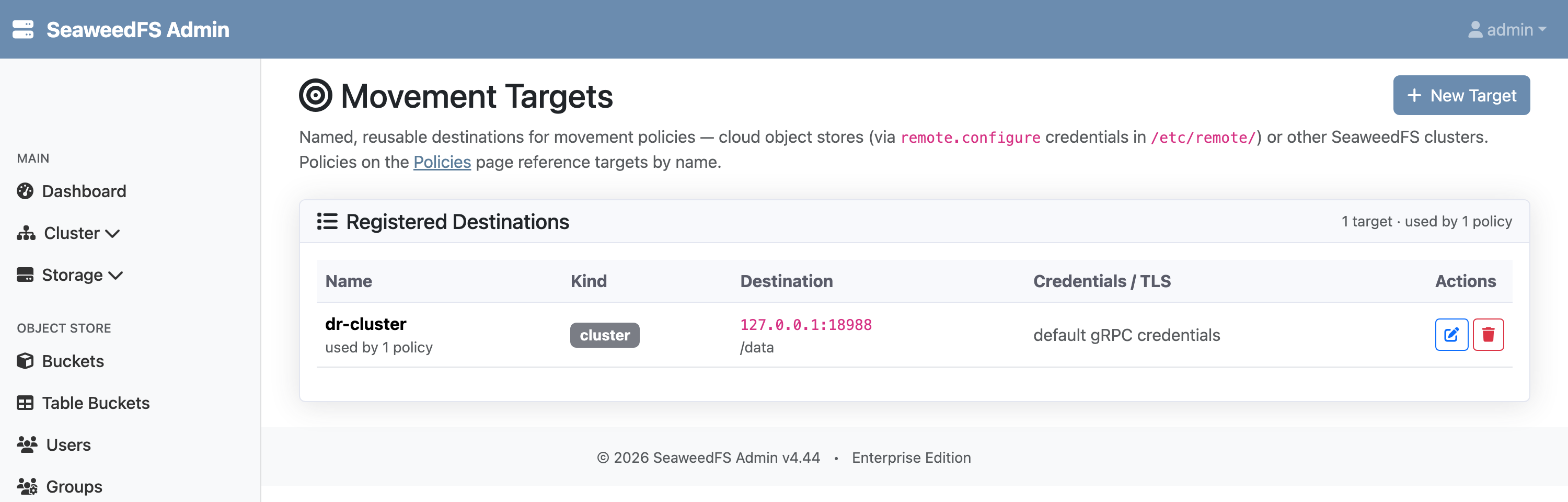
dr-cluster, pointing at a remote filer.Then create a policy that binds a source path to that target, choose a mode, and set options — an initial snapshot, delete propagation, an optional bandwidth cap, and a retention window.
Monitor progress
The Policies page shows each policy’s mode, phase (seeding → caught up), replication lag, and how much has moved — refreshed live:
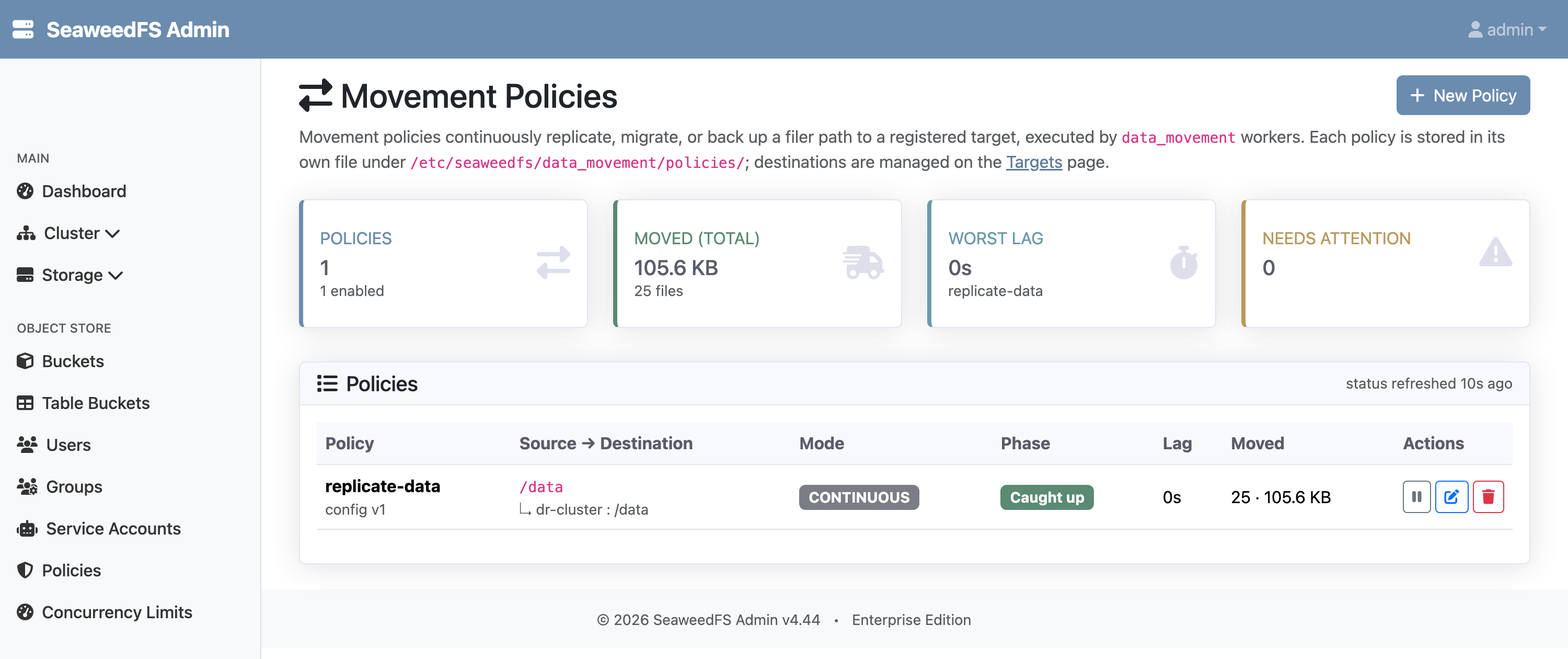
/data to dr-cluster — caught up, zero lag.Safety
- Generation-fenced leases make a stale worker’s writes safe: only the current lease holder advances offsets and writes to the destination.
- Verify-sink catches a cluster sink’s silently-swallowed chunk-copy failures — it re-checks existence and full-precision mtime on the destination for cluster targets.
- Cut-over is evidence-based. Migrate completes only after the destination has surpassed a stamped fence through a clean window — never on a momentary lag of zero.
- Bounded and paced. A policy can cap upload throughput (bytes/second) and enforce a retention window on the destination; snapshot and tail run on their own runtime so pack downloads never block a refs request.
Enabling
Data movement is opt-in — it consumes cloud APIs and cluster bandwidth, so it ships disabled. Enable the data_movement job type in the Admin UI’s plugin configuration, then run at least one plugin worker:
weed worker -admin=<admin-host>:23646
The worker registers the data_movement capability automatically; the admin schedules due policies to it.