SeaweedFS Enterprise Data Movement keeps a filer path in sync with a destination — another SeaweedFS cluster, or a cloud object store (S3, GCS, Azure, B2). You point a policy at a source path and a named target, pick a mode, and data_movement plugin workers do the rest: an initial snapshot seeds what’s already there, then a tail of the metadata log carries every change as it happens. It’s all managed and monitored from the Admin UI.
This post runs it end to end on two real clusters. Every command and screenshot is from that session.
Step 1 — Two clusters and a worker
Bring up a source cluster (with the Admin UI) and a destination cluster on separate ports. weed mini is the all-in-one; the destination just needs its filer to receive writes:
# source cluster (Admin UI on :23646, filer gRPC :18888)
weed mini -dir=./src  -admin.port=23646

# destination cluster (the move target; filer gRPC :18988)
weed mini -dir=./dest -admin.ui=false \
  -master.port=9433 -volume.port=9440 -filer.port=8988 -s3.port=8433
Data movement runs on plugin workers, so start one pointed at the source’s admin:
weed worker -admin=127.0.0.1:23646
Data movement is opt-in — it consumes cluster bandwidth and cloud APIs — so enable the data_movement job type once in the Admin UI’s plugin configuration (or via its API). Then seed some data on the source to replicate:
weed filer.copy -c 8 ./files/*.txt http://127.0.0.1:8888/data/
# source /data now holds 20 files
Step 2 — Register the destination as a target
On the Admin UI’s Data Movement → Targets page, add a target. A target is a reusable named destination — a SeaweedFS cluster (its filer gRPC address) or a cloud store via a remote.configure credential:
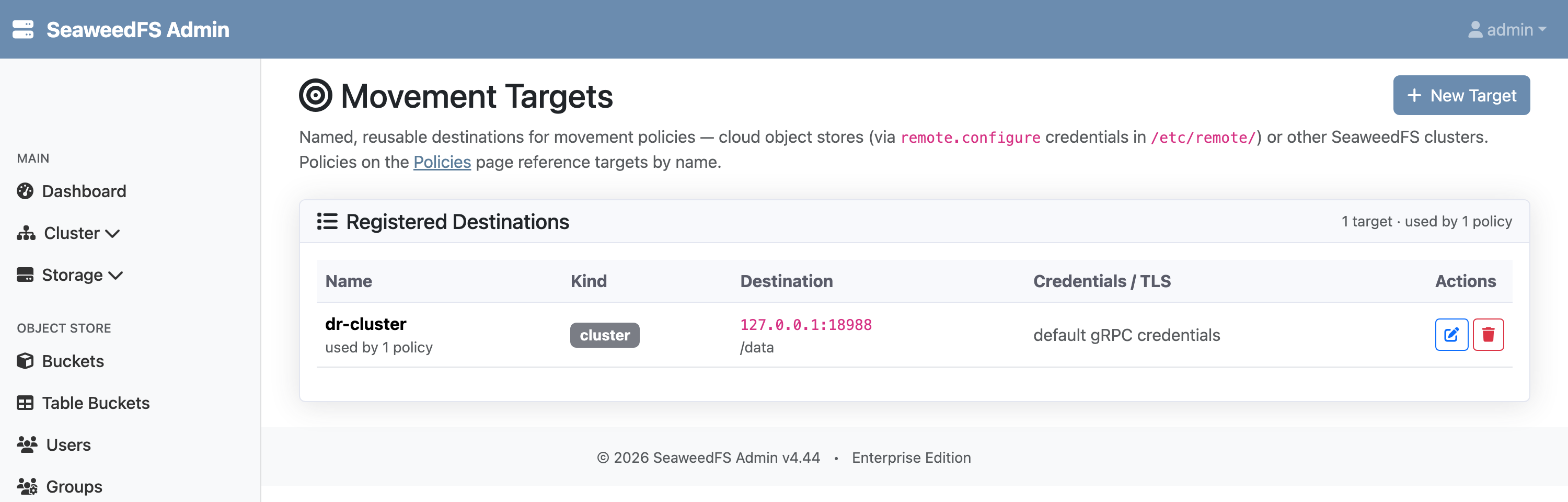
dr-cluster — the destination cluster's filer at 127.0.0.1:18988, writing under /data. Cloud targets pick a remote.configure record instead.Step 3 — Create a continuous policy
On the Policies page, create a policy binding the source path to that target. We pick Continuous mode and turn on the initial snapshot so the 20 files already in /data get seeded (a policy without a snapshot starts from now and only carries new changes).
The worker detects the policy, takes the lease, snapshot-seeds the existing tree, and starts tailing. Within seconds the destination has everything:
source /data: 20 files   →   dest /data: 20 files
status: phase=caught_up  walked=20  moved=20  lag=0s
Step 4 — Watch it stay in sync
Continuous means it keeps going. Write more files to the source, and the metadata tail carries them across:
weed filer.copy -c 4 ./more/*.txt http://127.0.0.1:8888/data/ # +5 files
source /data: 25 files   →   dest /data: 25 files
filesMoved: 25   bytesMoved: 108095   lagSeconds: 0
The Policies page shows it live — mode, phase, replication lag, and how much has moved:
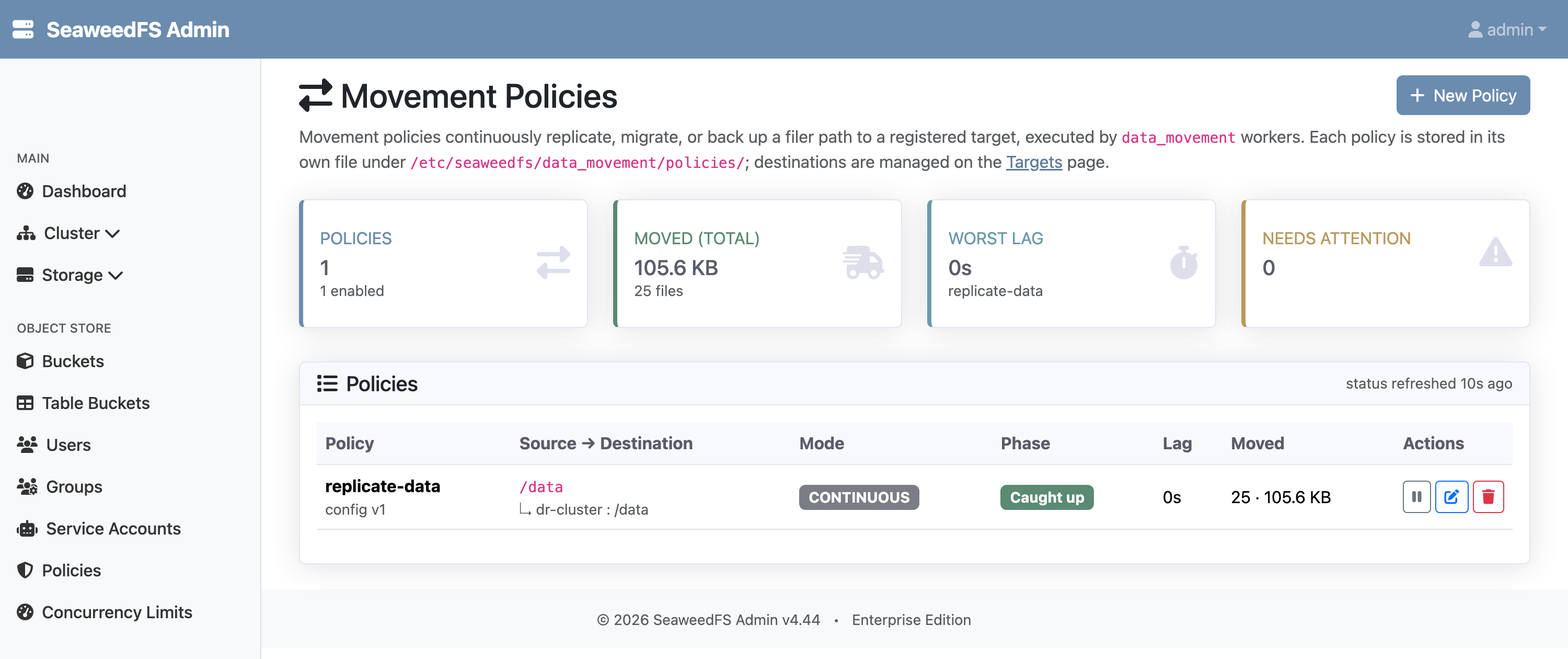
/data to dr-cluster, zero lag — 20 from the initial snapshot, 5 from the continuous tail.That’s the whole loop: seed, then tail, with the destination staying current.
What just happened
- The worker ran bounded, resumable slices. It committed its seed cursor before tailing, so a slice that dies resumes from the same point; a per-policy lease fences out stale workers. A slice ends at its deadline, on config change, or on lease loss, and detection re-proposes the next one — a dataset larger than one slice seeds fully instead of restarting.
- The mode decides the behavior. Continuous mirrors indefinitely; Migrate adds a cut-over fence that confirms the destination has everything before you flip traffic (lag=0 alone isn’t “done”); Backup keeps deletes off so the destination retains what the source removed.
- The target could have been the cloud. Swap the cluster target for an S3, GCS, Azure, or B2 destination and the same policy replicates to object storage instead — one system to run for cross-cluster and cross-cloud movement.
See the Data Movement docs for the architecture, the modes, cloud targets, and the safety model (leases, verify-sink, evidence-based cut-over).